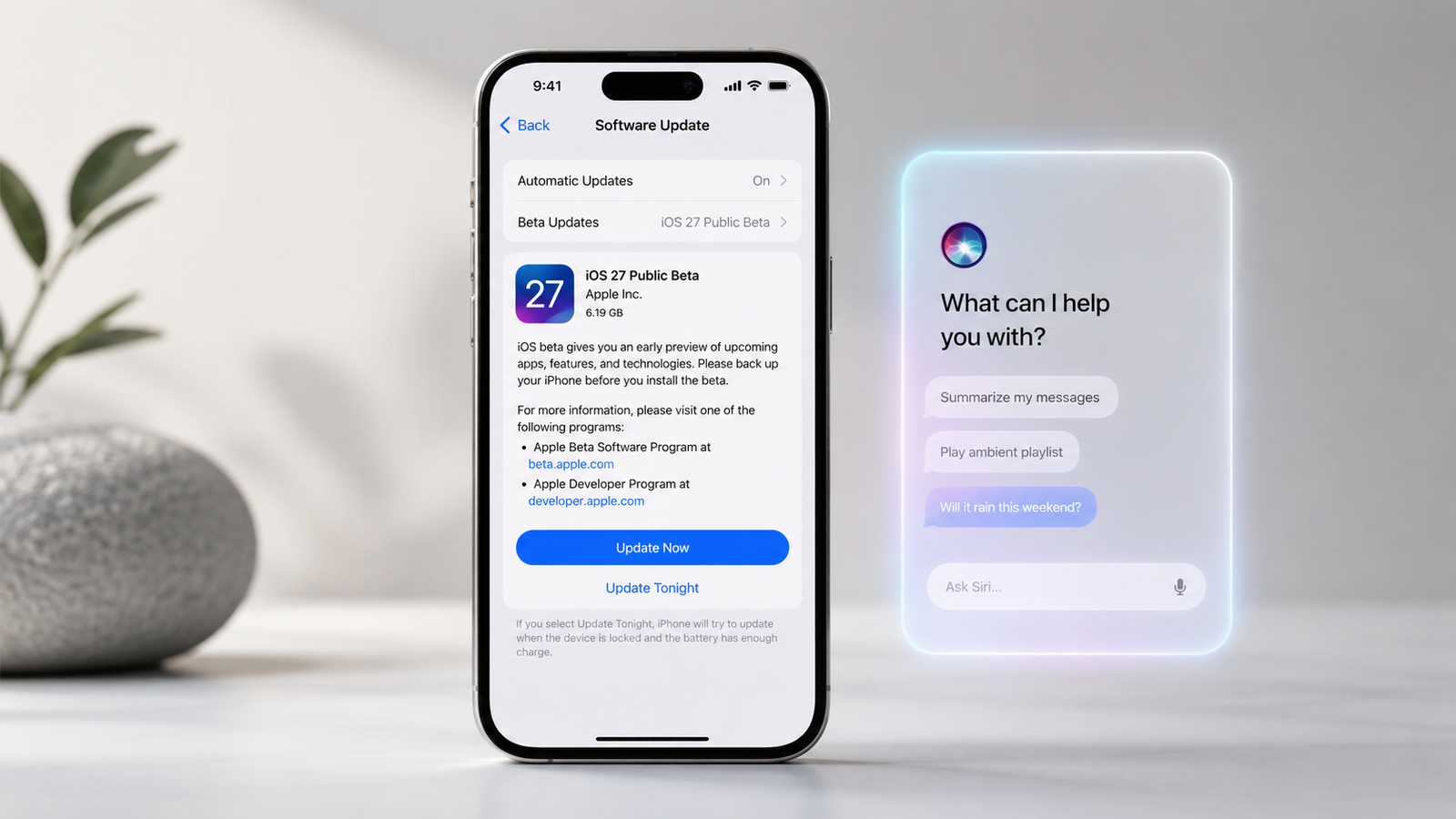
Apple has released the Apple iOS 27 public beta, opening its next major iPhone update to people outside the developer program. The software introduces the new Siri AI experience, expanded Apple Intelligence tools, performance improvements, stronger parental controls, and upgrades across Photos, Safari, Passwords, Shortcuts, AirPods, and other Apple apps.
The important detail is that installing iOS 27 and receiving its biggest features are not the same thing. Although iOS 27 supports iPhone 11 and newer models, most next-generation Apple Intelligence features require an iPhone 15 Pro, iPhone 15 Pro Max, or an iPhone 16 model or later.
Quick Answer
The iOS 27 public beta became available on July 13, 2026, following Apple’s WWDC preview in June. It is free to join through the Apple Beta Software Program and can be installed on supported iPhones through the Beta Updates menu.
Its headline feature is Siri AI, a more conversational assistant designed to understand personal context, on-screen information, and requests involving different Apple apps. However, the full AI experience is limited to newer iPhones, and the beta may still cause app problems, battery drain, unexpected glitches, or data-restoration complications.
For most people, waiting for the stable fall release remains the safer choice. The beta makes more sense for enthusiasts, developers, reviewers, and users with a secondary iPhone.
What Changed With the Apple iOS 27 Public Beta?
Apple first presented iOS 27 and the next generation of Apple Intelligence at WWDC on June 8, 2026. Developer testing began first, while the public beta expanded access to anyone with an eligible iPhone, a valid Apple Account, and acceptance of Apple’s beta-program agreement.
The public beta is significant because it moves iOS 27 from a developer-only testing phase into broader real-world use. Apple can now collect feedback from a much larger range of devices, apps, networks, accessibility configurations, and everyday workflows before the stable release.
Evidence Snapshot
| Development | What has been confirmed | Why it matters |
|---|---|---|
| WWDC announcement | Apple previewed iOS 27 on June 8, 2026 | Established the official feature direction |
| Public beta release | First public beta released July 13, 2026 | Non-developers can now test it |
| Program access | Free with a valid Apple Account | No developer subscription is required |
| Device support | iPhone 11 and newer, plus iPhone SE second generation and later | The operating system has broad hardware support |
| Apple Intelligence support | iPhone 15 Pro models and all iPhone 16 models or later | Older supported iPhones will not receive the complete AI experience |
| Final release window | Fall 2026 | The public beta is not the finished version |
Sources: Apple’s iOS 27 preview, Apple Beta Software Program, Apple Intelligence documentation, and current public-beta reporting.
The Biggest iOS 27 Public Beta Features
Siri AI Is the Headline Change
Apple describes Siri AI as a reworked assistant with broader world knowledge, on-screen awareness, personal-context understanding, and more natural back-and-forth conversations. It can reference information from supported content such as messages, email, photos, and information displayed on the screen.
The update also introduces a dedicated Siri app that collects conversations in one place. Users can begin a conversation on one compatible Apple device and continue it on another, while frequently used conversations can be pinned for quicker access.
Other Siri-related additions include:
- Writing assistance in supported text fields
- On-screen and camera-based Visual Intelligence
- Contextual actions across Apple apps
- Web-based answers to general questions
- More natural follow-up conversations
- Suggested actions based on messages, emails, and calls
- Plain-language Shortcut creation
The promise is not simply a chatbot attached to the iPhone. Apple is trying to turn Siri into a system-level assistant that can understand information and complete actions across the operating system.
That promise still needs testing. Early hands-on reporting suggests Siri AI is much more capable but may still misunderstand some phrasing, struggle with certain requests, and have limited support inside third-party apps. Broader usefulness will depend partly on developers adopting Apple’s new app-integration tools.
Apple Intelligence Expands Into Everyday Apps
iOS 27 distributes AI features across apps rather than keeping them inside a single assistant interface.
In Photos, Apple has announced Spatial Reframing, an Extend tool for expanding an image, and a stronger Clean Up feature designed to remove larger unwanted objects. Image Playground is also gaining more image styles, including photorealistic generation on compatible hardware.
Safari can organize related tabs into topics and use Notify Me to monitor supported pages for changes such as price drops or product restocks. The Passwords app can identify weak or compromised passwords and, on supported websites, help update them.
Messages and Mail can suggest relevant actions based on conversation context. Call Context can surface useful information, such as a confirmation code or booking detail, while the user is speaking with a business. Apple says these particular contextual features will initially be available in English.
Shortcuts Becomes Easier for Beginners
The new Describe a Shortcut feature allows users to explain an automation in ordinary language. Apple Intelligence can then assemble the necessary Shortcut actions and revise the workflow when the user describes a change.
For example, a user could ask for an automation that sends an estimated arrival time when leaving work, saves email attachments to a specified folder, or creates a reminder from selected text.
This could make one of Apple’s most powerful productivity tools useful to people who previously found its visual workflow builder confusing. The real test will be whether generated automations are reliable, understandable, and easy to correct.
Apple Claims Noticeable Performance Improvements
Apple says iOS 27 can deliver:
- App launches that are up to 30% faster
- New Photos content loading up to 70% faster
- AirDrop transfers up to 80% faster
These are Apple’s own “up to” figures and should not be interpreted as guaranteed improvements on every compatible iPhone. Results will depend on the device, battery condition, storage, files being transferred, background activity, and Apple’s testing methodology. Independent testing across older and newer iPhones will be needed before drawing broad conclusions.
Family and Child-Safety Controls Get More Flexible
Apple is expanding parental controls across iOS 27, iPadOS 27, and macOS 27. Parents will be able to choose which system apps a child can access during setup and use more flexible Time Allowances for categories such as games, entertainment, and social media.
Other announced controls cover website access, contact approvals, age-appropriate app experiences, and communication management. Availability may depend on the child account, region, app, and whether related Screen Time components have been updated.
Smaller Improvements May Matter More Than the Headlines
Several less dramatic changes may improve daily use:
- Custom equalizer controls for supported AirPods
- Improved iCloud Shared Albums, including easier participation from Android and Windows
- More detailed Apple Maps Flyover views
- Refined Liquid Glass presentation controls
- Expanded Passwords protections
- Better contextual suggestions
- More capable photo editing
- Additional quality-of-life and performance changes
AirPods Custom EQ, Shared Albums improvements, and enhanced Maps Flyover are among the additions Apple has officially previewed.
Which iPhones Support iOS 27?
Apple’s compatibility list includes the following groups:
- iPhone 17 family and iPhone Air
- iPhone 16 family
- iPhone 15 family
- iPhone 14 family
- iPhone 13 family
- iPhone 12 family
- iPhone 11 family
- iPhone SE, second generation and later
The full model-by-model list is available on Apple’s iOS 27 preview page.
iOS 27 Compatibility Is Not the Same as AI Compatibility
| Device group | iOS 27 | Next-generation Apple Intelligence |
| iPhone 16 models and later | Yes | Yes |
| iPhone 15 Pro and 15 Pro Max | Yes | Yes |
| iPhone 15 and 15 Plus | Yes | No full next-generation AI support |
| iPhone 11, 12, 13, and 14 families | Yes | No full next-generation AI support |
| iPhone SE second generation and later | Yes | No full next-generation AI support |
Apple also applies narrower requirements to certain individual features. Some capabilities may depend on a specific processor, memory level, camera system, supported AirPods model, language, or region.
This is the most important buying and installation distinction in the entire update. An iPhone can qualify for iOS 27 while missing many of the features that dominate Apple’s marketing.
Should You Install the iOS 27 Public Beta?
Consider Installing It When:
- You have a secondary iPhone
- You test apps or websites professionally
- You are comfortable troubleshooting software
- You understand how device backups and restoration work
- You can tolerate reduced battery life or app instability
- You want to provide useful feedback through Feedback Assistant
- You do not depend on the device for critical work, school, travel, authentication, or accessibility
Wait for the Stable Release When:
- This is your only phone
- You need reliable banking, payment, medical, school, or workplace apps
- You have an important trip or event approaching
- You cannot risk losing access to authentication apps
- You rely on specialist accessibility software or connected devices
- You do not have a verified pre-beta backup
- You expect every advertised iOS 27 feature to work immediately
Apple’s beta-program agreement recommends installing beta software on a secondary system rather than a production or business-critical device.
How to Install the iOS 27 Public Beta Safely
1. Confirm That Your iPhone Is Supported
Check the official iOS 27 compatibility list. Then check whether your device supports Apple Intelligence if AI features are your main reason for installing the beta.
2. Update Your Apps and Current iOS Version
Install available app updates and the latest stable iOS update before switching beta channels. This reduces the number of unrelated compatibility problems you may encounter.
3. Create a Backup Before Installing
Back up the iPhone to iCloud or a computer. For the strongest rollback protection, create and preserve a computer backup made while the device is still running the stable version of iOS.
Apple warns that a backup created while using a beta version may not restore onto an earlier public version of iOS. A pre-beta backup is therefore more useful than a backup created after installation.
4. Join the Apple Beta Software Program
Sign in to the Apple Beta Software Program using the same Apple Account connected to the iPhone. The program is free, but participation requires acceptance of Apple’s beta agreement.
5. Select the Public Beta Channel
On the iPhone, open:
Settings → General → Software Update → Beta Updates → iOS 27 Public Beta
Return to the Software Update page and select the available download. The installation may require Wi-Fi, sufficient storage, a charged battery, and connection to power.
6. Test Critical Apps Immediately
After installation, check:
- Banking and payment apps
- Password managers
- Authentication apps
- Workplace or school apps
- Bluetooth accessories
- CarPlay
- Mobile network functions
- Camera and photo syncing
- Cloud storage
- Accessibility tools
Finding a serious compatibility problem early gives you more time to decide whether to remain on the beta.
Can You Remove the iOS 27 Public Beta?
You can stop receiving future beta updates by opening:
Settings → General → Software Update → Beta Updates → Off
Turning off beta updates does not immediately downgrade the operating system. It normally leaves the current beta installed until a newer stable release becomes available.
Returning immediately to the current stable version can require erasing and restoring the iPhone with a computer. Apple states that users should restore from a backup created before installing the beta because beta-created backups may not be compatible with the older operating system.
This makes rollback more complicated than simply switching off a setting.
Privacy and Security Considerations
Apple presents Siri AI and the next generation of Apple Intelligence as privacy-centered technologies that combine on-device processing with protected cloud systems when additional computing is required. Siri AI is designed to use personal context from supported apps while keeping that access under system permissions and Apple’s privacy architecture.
That does not mean beta participation is data-free. Apple states that the Beta Software Program may involve collection and use of data associated with pre-release testing and feedback. Users should review the current beta privacy terms before joining.
Practical privacy checks include:
- Review which apps Siri can access
- Check analytics and diagnostic-sharing settings
- Avoid placing sensitive experimental data on a test device
- Read permission prompts carefully after updates
- Recheck privacy settings after installing a new beta build
- Verify that important security and authentication apps still work
The public beta should not be treated as a security upgrade over the current stable release simply because it has a higher version number. It remains unfinished software.
Impact in the United States, United Kingdom, Canada, and Australia
Apple Intelligence supports English, while several announced iOS 27 features are specifically being prepared for English-language use. Apple has also identified the United States, Canada, the UK, and Australia as supported markets for AI-powered Voice Control.
However, readers should not assume identical feature availability in all four countries.
| Market | What readers should verify |
| United States | Apple Cash, Wallet IDs, carrier features, supported payment services, and state-specific functions |
| United Kingdom | Wallet and payment-provider support, local English availability, carrier features, and regulatory notices |
| Canada | English or French availability, Wallet functions, carrier features, and local service support |
| Australia | Local English support, payment and Wallet services, carrier features, and Maps availability |
Apple Cash is a clear example of regional variation: Apple requires users to live in the United States to set it up. Any iOS 27 feature that depends specifically on Apple Cash should therefore not be presented as a UK, Canadian, or Australian feature without separate confirmation.
Pricing is not a major concern for the software itself because participation in Apple’s public beta program is free. Subscription-based services, iCloud storage, carrier features, paid apps, and hardware-dependent capabilities remain separate.
iOS 27 Public Beta: Hype vs Reality
| Claim | Reality |
| Every supported iPhone receives Siri AI | iOS 27 supports iPhone 11 and newer, but the complete Apple Intelligence experience requires substantially newer hardware |
| The public beta is basically the finished release | It remains pre-release software and can contain bugs, battery problems, crashes, and compatibility issues |
| Every announced feature is available immediately | Apple says features can vary by device, language, region, and release timing |
| iPhones will automatically feel 30% faster | Apple’s figures are “up to” results, not guaranteed improvements for every device |
| Removing the beta is easy | Disabling beta updates is easy, but immediately downgrading may require erasing and restoring the phone |
| Siri AI will work equally well in every app | Third-party usefulness depends on developer integration and the capabilities available in each app |
| The beta is the best choice for every enthusiast | A secondary device is still the safer testing environment |
The public beta is a meaningful milestone, but it is evidence that iOS 27 is ready for broader testing, not proof that it is ready for every primary iPhone.
What Most iOS 27 Articles Miss
The Best Features Have Different Hardware Requirements
A compatibility list alone can be misleading. Readers need to know which devices can install iOS 27 and which devices can actually run Siri AI, advanced photo generation, contextual suggestions, and other Apple Intelligence functions.
Public Beta Stability Is Not Universal
A beta may feel stable on one iPhone while producing battery, Bluetooth, camera, network, or app problems on another. User experience can vary by model, battery health, installed apps, carrier, and connected accessories.
Rollback Planning Matters Before Installation
The best time to prepare for a downgrade is before installing the beta. A preserved stable-version backup can be more valuable than any individual beta feature.
Third-Party App Support Will Shape Siri AI’s Value
Siri AI becomes more useful when it can understand and act across the apps people already use. Its long-term impact will depend on whether major productivity, communication, travel, media, and business apps adopt Apple’s relevant integration frameworks.
Performance Claims Need Independent Testing
Apple’s speed figures are promising, especially for older supported devices. Independent tests should compare app launches, AirDrop transfers, battery life, heat, memory use, and sustained performance across several iPhone generations.
iOS 27 Timeline
June 8, 2026
Apple announced iOS 27, Siri AI, next-generation Apple Intelligence, new parental controls, and broader platform improvements at WWDC. Developer testing began around the announcement period.
July 13, 2026
Apple released the first iOS 27 public beta, giving non-developers access through the Apple Beta Software Program.
July Through Fall 2026
Apple is expected to issue additional beta builds containing bug fixes, feature adjustments, security changes, and compatibility improvements. Apple does not publish a guaranteed consumer beta schedule.
Fall 2026
Apple says iOS 27 will become available as a finished software release in the fall. An exact date should not be presented as confirmed until Apple announces it.
What to Watch Next
Siri Accuracy and Reliability
The most important question is not whether Siri can produce impressive demonstrations. It is whether it can complete ordinary requests reliably without selecting the wrong app, contact, file, event, or action.
Third-Party App Integration
Watch for announcements from major messaging, productivity, travel, finance, creator, and workplace-app developers. Siri AI’s system-level advantage will be limited if important third-party apps do not participate.
Battery Life and Heat
Early beta builds often perform background indexing, photo analysis, app optimization, and diagnostic collection. Testing should distinguish short-term post-installation activity from persistent battery or temperature problems.
Performance on Older iPhones
Apple’s decision to support devices as old as the iPhone 11 makes older-device performance especially important. Speed, memory management, battery life, storage pressure, and interface smoothness should be evaluated separately.
Regional Feature Availability
Apple should clarify which Siri AI, Wallet, Maps, accessibility, language, and communication features will be available in the United States, UK, Canada, and Australia at launch.
Privacy Controls
Readers should watch how clearly iOS 27 explains personal-context access, app permissions, cloud processing, stored conversation history, and controls for deleting or restricting information.
Changes Between Beta and Final Release
Features may be revised, delayed, restricted, or removed during testing. Screenshots and instructions should therefore be checked after every major beta update.
Frequently Asked Questions
Is the Apple iOS 27 public beta available now?
Yes. Apple released the first public beta on July 13, 2026, through the Apple Beta Software Program.
Is the iOS 27 public beta free?
Yes. Apple says joining the public beta program and downloading the software are free. A valid Apple Account and acceptance of the beta agreement are required.
Which iPhones support iOS 27?
iOS 27 supports the iPhone 11 family and newer, along with the iPhone SE second generation and later.
Will Siri AI work on an iPhone 14?
The iPhone 14 can install iOS 27, but it does not meet Apple’s hardware requirements for the full next-generation Apple Intelligence experience.
Is the iOS 27 public beta safe for a primary iPhone?
It may work, but installing it on a primary phone carries avoidable risk. Apple recommends using beta software on a secondary rather than business-critical device.
Can the iOS 27 beta reduce battery life?
Beta software can cause temporary or persistent battery drain because of bugs, background indexing, diagnostics, or unfinished optimization. Battery results can vary between beta builds and iPhone models.
Can I go back to iOS 26 after installing the beta?
Yes, but an immediate downgrade may require erasing and restoring the iPhone with a computer. A backup created during the beta may not restore to the older iOS version, so a pre-beta backup is important.
When will the final version of iOS 27 be released?
Apple says the final software will arrive in fall 2026. It has not confirmed an exact public-release date.